
For iPhone and iPad · Invoice maker
Invoice on-site, before you leave.
Duly is the invoice maker for tradespeople, freelancers and small businesses. Create an invoice, estimate or receipt in under a minute, add your logo and send it as a PDF before you leave the job.
 Scan to downloadPoint your iPhone camera here
- No account needed
- Works offline
- Backs up to your iCloud
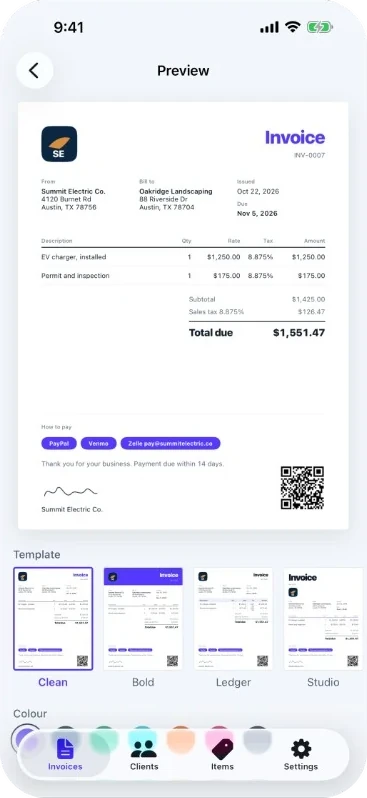
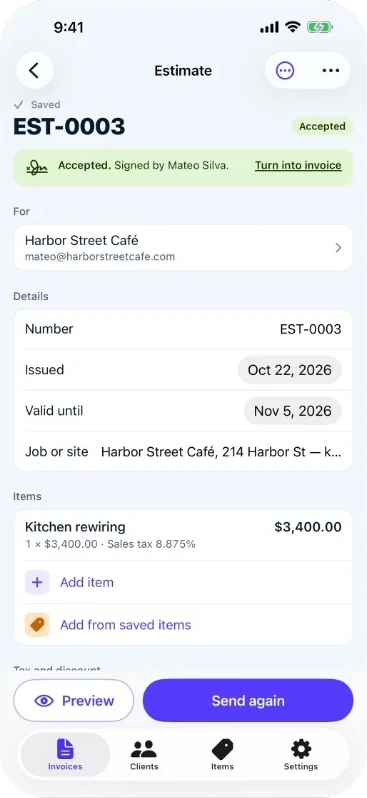
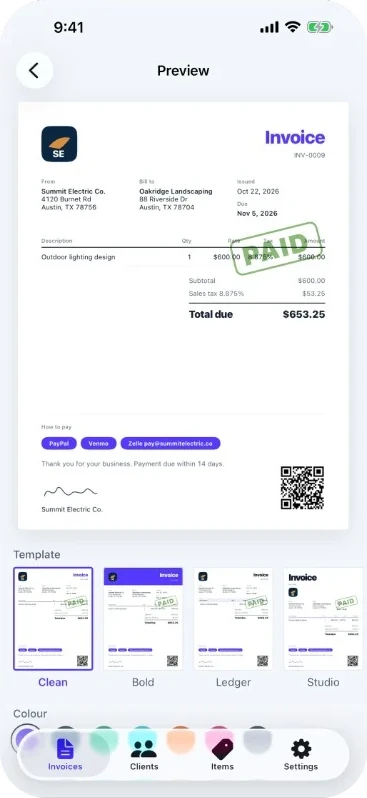
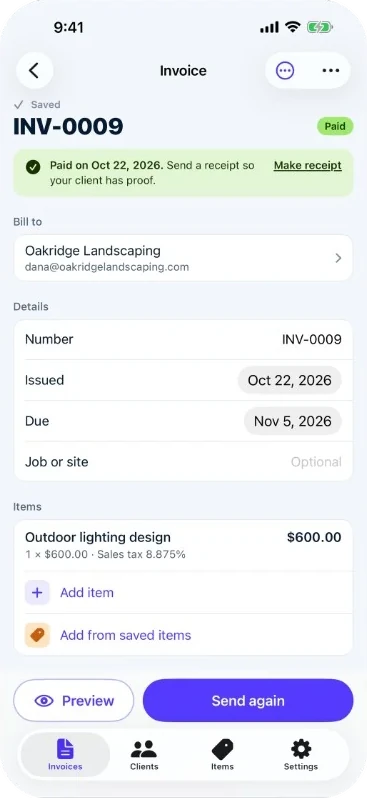
From a blank screen to a PDF your client can pay.
Invoice templates, three free and four with Premium.
Accounts to create. Your invoices stay on your iPhone and in your own iCloud.
Documents in one app: invoices, estimates and receipts.
Watch it work
The whole job, in 20 seconds.
Quote it, invoice it, get it paid. Here is the app in motion, from first tap to paid stamp.
Invoices, estimates and receipts
Everything the job needs, nothing it doesn’t.
Three documents. One minute each.
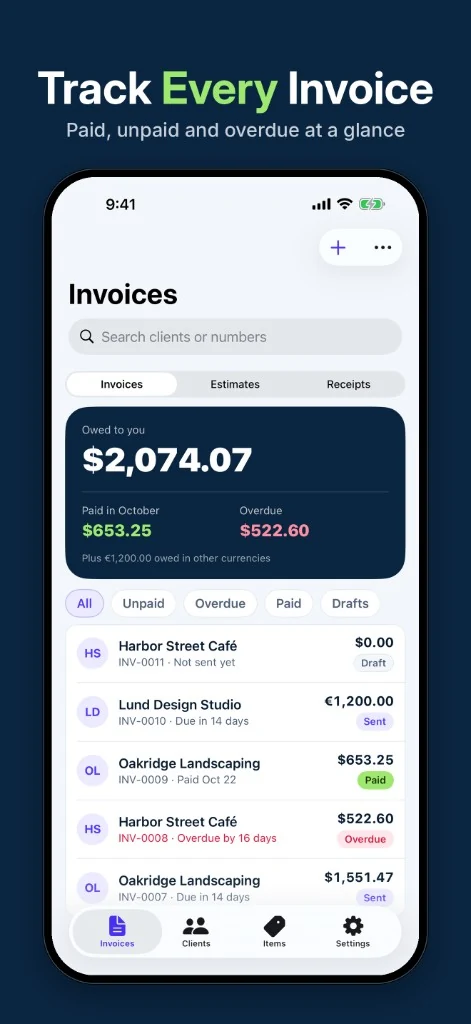
Create invoices, estimates (quotes) and receipts in seconds, then see what you’re owed at a glance.
- Invoices, estimates and receipts in one app
- Track paid, unpaid and overdue
- Save clients and items to reuse them
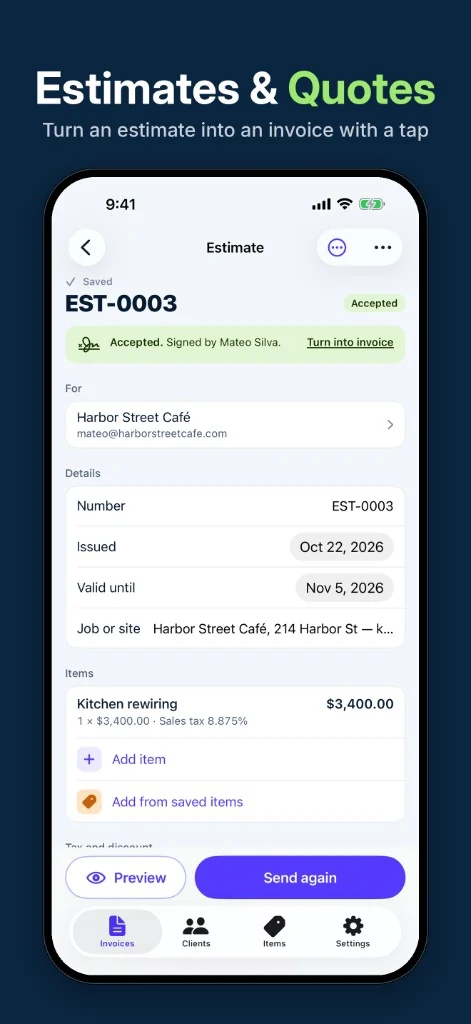
Turn a quote into an invoice with one tap.
When your client says yes, convert the accepted estimate and keep every line. They can even sign on your iPhone, right there on site.
- Accepted estimate to invoice in one tap
- Client signs an estimate or invoice on your iPhone
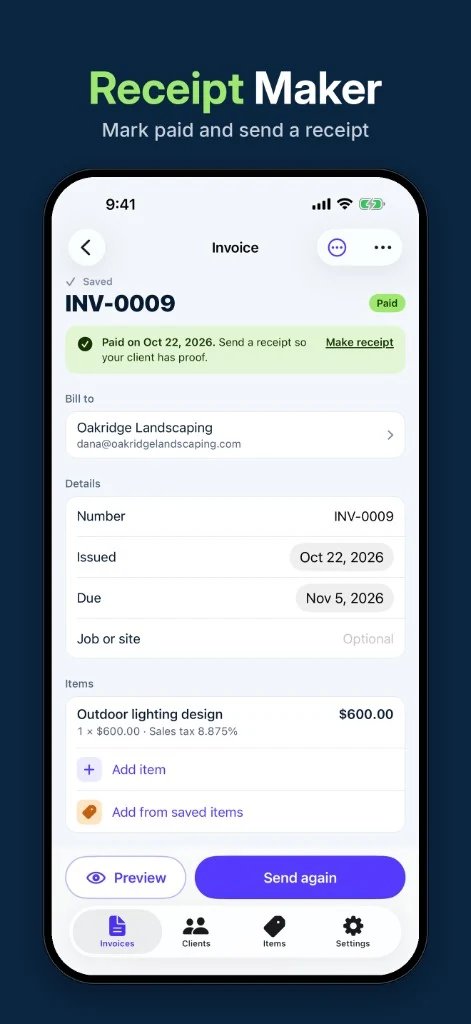
Mark it paid. Send the proof.
Mark an invoice paid and send a receipt so your client has proof of payment, and you have a clean record.
- Mark paid in a tap
- Send a receipt as a PDF
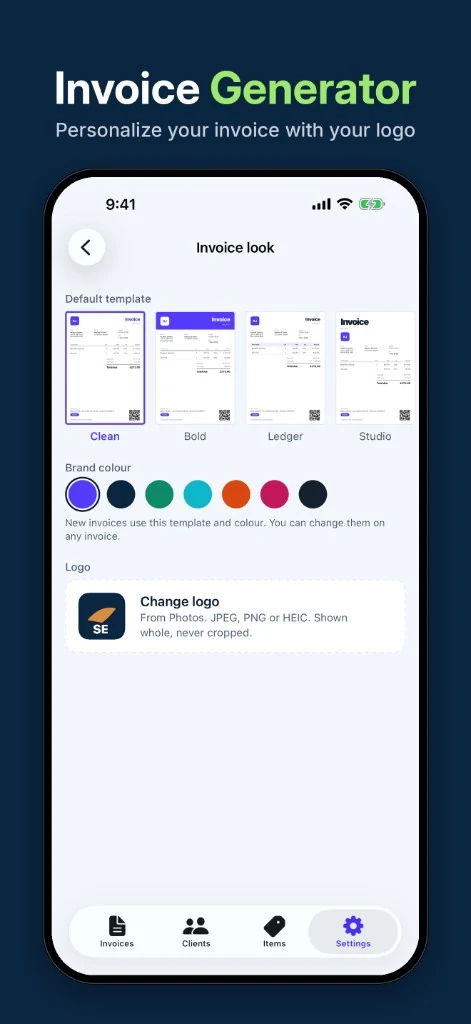
Your logo, your colour, your name on every page.
Add your logo, signature and brand colour. Your business details, tax ID and payment terms print on every document.
- Logo shown whole, never cropped
- Business details, tax ID and terms on every document
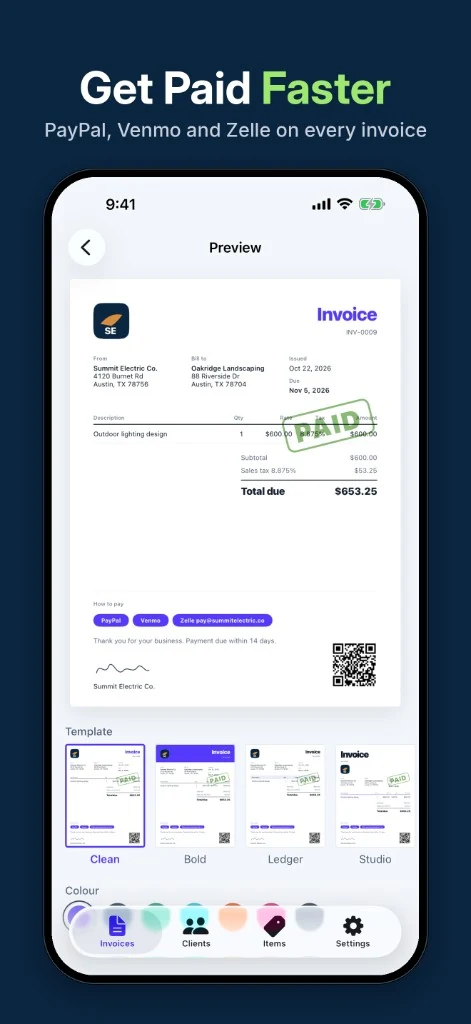
Every way to pay, right on the invoice.
Put PayPal, Venmo, Zelle, Cash App or a payment link on every invoice. Add your bank details and a QR code, so paying takes seconds.
- PayPal, Venmo, Zelle, Cash App or any payment link
- Bank details and a QR code
How it works
Done before you’re back in the van.
-
1
Add the job
Items, quantities and rates. Sales tax, VAT or GST, per item or on the total. Discounts, shipping and extra fees when you need them.
-
2
Make it yours
Your logo, brand colour and signature are already there. Add PayPal, Venmo, Zelle, Cash App or a payment link, plus a QR code.
-
3
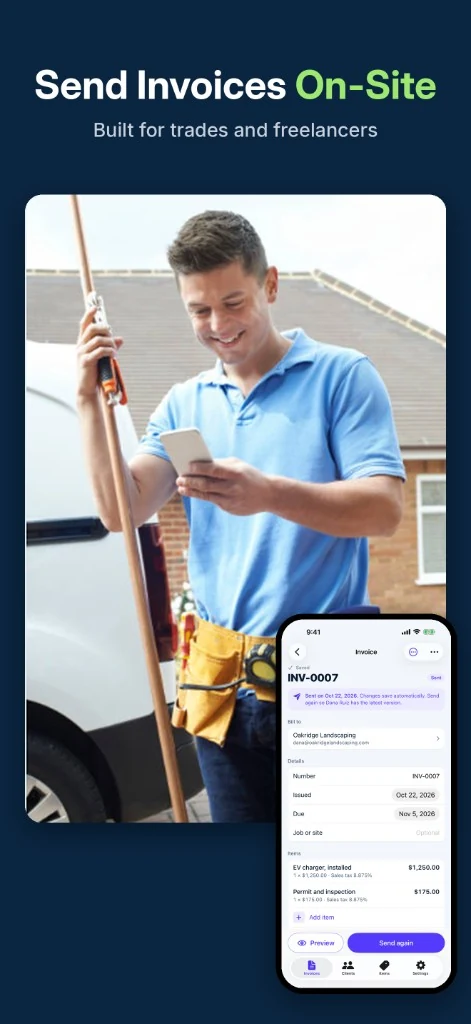
Send it from the driveway
Email, text, WhatsApp or AirDrop the PDF. Print it, or save it to Files. No signal? Send as soon as you have one.
-
Mark it paid
When the money lands, mark it paid and send a receipt as proof.
Look professional
Make it look like you.
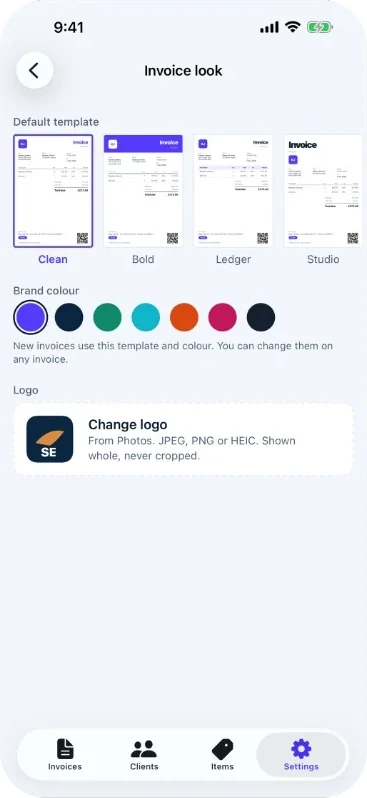
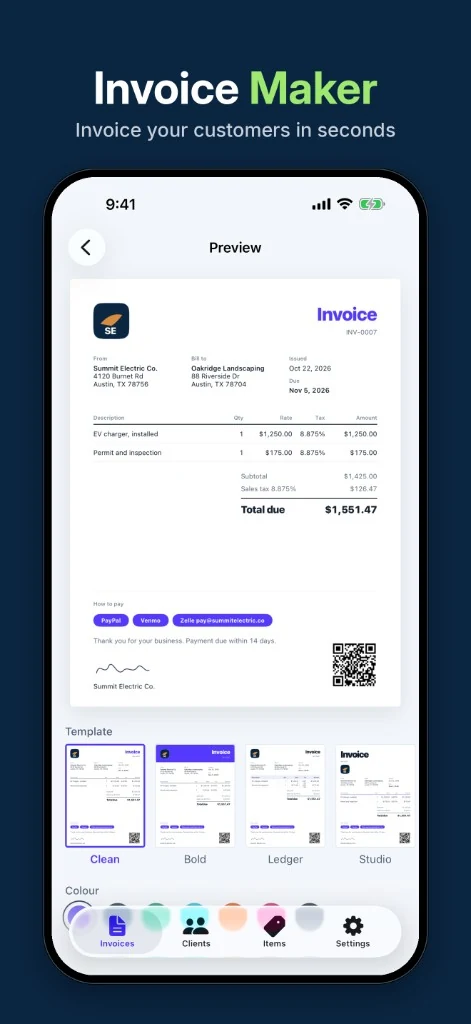
Pick a template and a brand colour. Try it right here: this is the same invoice the app makes.
Template
Clean, Bold and Ledger are free. Studio, Trades, Classic and Split come with Duly Premium.
Brand colour
New invoices use your default template and colour. Change them on any invoice.
- Logo shown whole, never cropped
- Signature, tax ID and payment terms
- 7 templates: Clean, Bold, Ledger, Studio, Trades, Classic, Split
Get paid faster
Make paying the easy part.
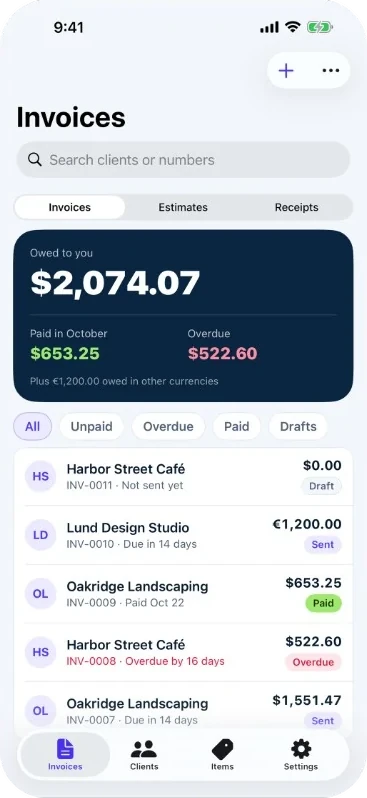
Put PayPal, Venmo, Zelle, Cash App or a payment link on every invoice. Add your bank details and a QR code. Then see who has paid, who hasn’t and who is overdue.
- HSHarbor Street CaféINV-0011 · Not sent yet$0.00Draft
- LDLund Design StudioINV-0010 · Due in 14 days€1,200.00Sent
- OLOakridge LandscapingINV-0009 · Paid Oct 22$653.25Paid
- HSHarbor Street CaféINV-0008 · Overdue by 16 days$522.60Overdue
Send it your way
From the driveway, not the office.
Email, text, WhatsApp or AirDrop the PDF. Print it or save it to Files. Create it offline and send it the moment you have signal.
- Email, text, WhatsApp or AirDrop
- Print it or save it to Files
- Works offline: send as soon as you have signal
Built for real jobs
The small print, handled.
Tax rules, other currencies, repeat clients, the iPad on the tailgate. Duly was made for the way jobs actually go.
Sales tax, VAT and GST
Tax per item or on the total. Set it once and forget it.
A currency for each client
Save clients and items
Add them once. Reuse them on every job.
- OLOakridge Landscaping
- LDLund Design Studio
- HSHarbor Street Café
- EV charger, installed$1,250.00
- Permit and inspection$175.00
Discounts, shipping and fees
iPad support
The invoice and the PDF, side by side.
Automatic iCloud backup
Export everything as PDF and CSV whenever you like.
Private by design
No account needed. Your invoices stay on your iPhone and in your own iCloud.
Works offline
No bars in the basement? Build it now, send it when you have signal.
Made for the ones who do the work
Tradespeople. Freelancers. Small business.




What’s included
Start free. Upgrade when you send.
Duly
Free to download and build with
- Create, edit and preview as many invoices, estimates and receipts as you like
- Save clients and items
- Clean, Bold and Ledger templates
- Back up to iCloud and export your data
Duly Premium
Everything above, plus
- Send, print and save PDFs
- Studio, Trades, Classic and Split templates
- Documents without the preview mark
Subscriptions are handled by Apple. Manage or cancel in Settings. Price and trial details are shown in the app before you subscribe.
In the App Store
Every screen, in order.
Do I need an account?
No. Duly works without an account. Your invoices stay on your iPhone and in your own iCloud.
Is Duly free?
You can create, edit and preview as many invoices, estimates and receipts as you like, save clients and items, back up to iCloud and export your data, without paying. Duly Premium unlocks sending, printing and saving PDFs, the premium templates and documents without the preview mark.
Where is my data stored?
On your iPhone, with automatic backup to your own iCloud. You can export everything as PDF and CSV at any time.
Does it work offline?
Yes. Build your document anywhere and send it as soon as you have signal.
How do my clients pay me?
Duly puts your own payment details on the invoice: PayPal, Venmo, Zelle, Cash App or a payment link, plus your bank details and a QR code. Your client pays you directly.
Which taxes and currencies are supported?
Sales tax, VAT and GST, with tax per item or on the total. You can set a different currency for each client.
Does it work on iPad?
Yes. On iPad you can see the invoice and the PDF side by side.
How do I cancel Premium?
Payments are handled by Apple. To cancel, open Settings > [your name] > Subscriptions. To ask for a refund, go to reportaproblem.apple.com. Deleting the app does not cancel the subscription.
Is there an Android version?
Not at the moment. Duly is built for iPhone and iPad.
How do I remove “Made with Duly”?
In the app, go to Settings > Invoice look > Footer and turn off Show “Made with Duly” on PDFs. It’s free, no Premium needed, and applies to every PDF you make from then on.
Your next invoice takes a minute.
Download Duly for iPhone and iPad, and send your first invoice before you leave the job.
Scan with your iPhone